Best AI Outlook Email Assistants for Professionals Handling High Email Volume

In the fast-moving professional environment of the USA, email remains a dominant form of business communication, with workers often receiving over 117 messages per day, many skimmed in under 60 seconds, creating pressure to respond quickly while managing workloads effectively.
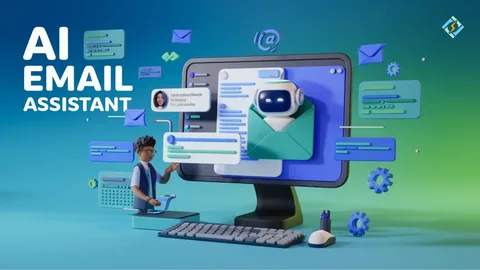
To cope, professionals increasingly turn to an AI outlook email assistant for professionals that can sort, prioritize, and draft responses with intelligent automation. Tools leveraging advanced contextual understanding help reduce overload, triage incoming traffic, and accelerate communication without compromising quality.
The technology-driven assistants are now essential for anyone handling high inbox volumes across teams and individual workflows.
How Smart Outlook AI Tools Improve Daily Email Workflows?
AI enhancements have transformed how professionals interact with Outlook by automating routine tasks and providing actionable insights. With email still central to most business operations, these intelligent assistants help reduce time spent on administrative email tasks while enabling faster information exchange and structured workflows.
Here are five major ways AI assistants enhance Outlook experiences:
- Automated Prioritization for Urgent Conversations – Instead of sifting through every message manually, smart tools evaluate keywords, sender context, and historical interactions to elevate high-priority threads. Prioritization ensures that urgent client needs, leadership directives, or time-sensitive requests are surfaced immediately, minimizing response lag and reducing the risk of missed opportunities.
- Intelligent Drafting and Suggestion Generation – Modern assistants go beyond simple templates and generate coherent responses by analyzing the content of received emails. This helps professionals craft consistent and polished replies quickly, ensuring communication remains clear and professional without repeated typing or copy-paste workflows.
- Inbox Organization and Noise Reduction – High email volume often results in cluttered inboxes filled with newsletters, updates, and low-value threads. AI mechanisms can automatically categorize and archive such messages, leaving essential communications front and center. This structured approach reduces cognitive load and improves focus on key tasks.
- Contextual Summarization of Long Threads – Complex email chains with multiple contributors can be challenging to decipher quickly. AI assistants can summarize long conversations into concise overviews, highlighting key points and decisions. This capability saves time and ensures relevant details aren’t lost in lengthy text.
- Seamless Integration With Calendars and Work Tools – Outlook-compatible AI assistants often sync with calendars, task systems, and collaboration platforms. This enables automatic extraction of meeting details, scheduling suggestions, and follow-up reminders directly from email threads, eliminating manual event creation and reducing context switching between apps.
With these improvements, professionals can handle higher email volumes efficiently and maintain better command over critical workflows. By automating repetitive tasks while highlighting vital messages, AI assistants foster clarity and reduce time spent on manual inbox management.
Key Features to Look for in an Outlook AI Email Assistant
Choosing the right assistant depends on how well it fits individual workflows and organizational needs. Outlook users should evaluate tools based on integration strength, automation depth, and usefulness in a busy professional context.
Consider these valuable features when evaluating an assistant:
- Deep Outlook Integration – Native add-ins or integrations embed functionality directly into the Outlook interface. This enables features like inline suggestions, thread previews, and sidebar automation without switching between separate apps preserving workflow continuity and reducing disruptions.
- Adaptive Personalization Over Time – High-volume users benefit from assistants that adapt to personal communication styles and patterns. Tools that learn preferences can tailor responses, prioritize messages based on historical behavior, and refine suggestions to feel more aligned with individual tones and requirements.
- Security and Compliance Controls – In enterprise settings, data protection is paramount. Look for assistants with robust privacy safeguards, encryption, and compliance with regulations. This ensures sensitive information within emails and attachments is handled safely without exposing risks to broader systems.
- Customizable Automation Rules – Professionals differ in how they interact with email. Custom rule frameworks let users define which threads should auto-sort, when follow-ups are generated, and how reminders behave. This flexibility enhances relevance and prevents over-automation.
- Centralized Task and Calendar Sync – Beyond drafting replies, the best assistants assist with workflow automation. Extracting action items, scheduling meetings from email context, and updating task lists directly from inbox content boosts productivity by aligning communication with broader planning tools.
These features play a key role in maximizing the impact of an outlook ai email assistant within daily email ecosystems. By focusing on deep integration, personalization, and extensibility, professionals can efficiently manage email loads without sacrificing organization or speed of communication.
Top Use Cases for AI Outlook Email Assistants Among High-Volume Professionals
In contexts where email volume escalates rapidly such as account management, consulting, legal correspondence, or executive roles, AI assistants are especially valuable in maintaining clarity and responsiveness.
Here are five common scenarios:
- Client Communication Management – Professionals handling client accounts often juggle threads with multiple stakeholders. AI assistants keep track of key client emails, suggest timely follow-ups, and help maintain a polished tone across interactions, ensuring critical requests are never delayed by inbox clutter.
- Internal Team Coordination – Outlook remains a central hub for project discussions and planning. AI tools organize messages by conversation clusters, highlight pending tasks, and help teams quickly align operational steps. Clear thread summaries reduce redundant replies and streamline collaboration.
- Executive Correspondence Handling – Leaders face a barrage of information daily. Assistants triage executive inboxes by sender importance and topical relevance, helping leaders focus on strategic priorities rather than administrative responses. This supports better decision-making under time constraints.
- Sales and Follow-Up Optimization – Email is a core communication channel in sales, but follow-ups can be easily delayed amidst dense traffic. Smart assistants automate reminders and draft personalized prospect replies based on templates and context, increasing conversion rates and response effectiveness.
- Cross-Functional Project Management – Complex projects often involve multifaceted email threads with attachments and tasks scattered across individuals. AI assistants can extract action items, link related documents, and transform unstructured email content into actionable items that sync with broader project flows.
By aligning assistant functionality with these specific use cases, professionals gain measurable gains in speed, consistency, and communication quality. This ensures higher performance, stronger relationships, and fewer bottlenecks caused by email overload.
Future Trends in AI Outlook Email Assistance
The landscape of email automation continues to evolve rapidly, promising more seamless, proactive, and intelligent collaboration support. Emerging trends point toward a future where email assistants become more anticipatory, adaptive, and deeply integrated with broader workflow ecosystems.
Here are five trends shaping the future:
- Conversational Intelligence with Context Awareness – Future assistants will better understand the nuances of multiple turn conversations, using historical data to predict needs such as whether a thread requires a summary, a set of suggested replies, or a meeting proposal.
- Multimodal Workflow Support – Beyond text, next-generation assistants may support voice, calendar context, file attachments, and meeting notes, synthesizing content from across enterprise systems to provide unified insights and recommendations.
- Predictive Time-Saving Automation – Anticipatory actions such as suggesting the top three emails requiring attention after a break will reduce inbox anxiety. Predictive automation will go beyond reactive drafting to proactive task preparation.
- Integration With Emerging Knowledge Systems – Integrations with document repositories, CRM systems, and shared knowledge bases will help assistants surface relevant facts and data within email contexts, enhancing accuracy and reducing manual lookup tasks.
- Collaboration-Centric AI Assistants – As teams grow distributed and asynchronous work increases, assistants will help bridge communication gaps by aligning threads with team calendars, status updates, and shared dashboards, making inboxes more than message lists turning them into coordinated collaboration hubs.
These trends suggest that the role of an Outlook AI email assistant will expand well beyond drafting replies or sorting messages. They will become central knowledge and productivity partners that help professionals work smarter in an increasingly connected digital workspace.
Conclusion
Handling high email volumes in the USA, integrating an ai outlook email assistant for professionals into daily workflows has shifted from a “nice-to-have” to a necessity.
These tools help reduce cognitive load, automate mundane tasks, and preserve valuable time for strategic work.
By prioritizing messages, drafting consistent replies, summarizing complex threads, and syncing with calendars and tasks, AI assistants improve productivity and foster clarity in email communication. Importantly, as these systems learn and adapt over time, they grow to match individual work styles and organizational needs.
Ultimately, mastering email with AI support enables professionals to focus on meaningful communication and performance outcomes rather than being overwhelmed by inbox noise.