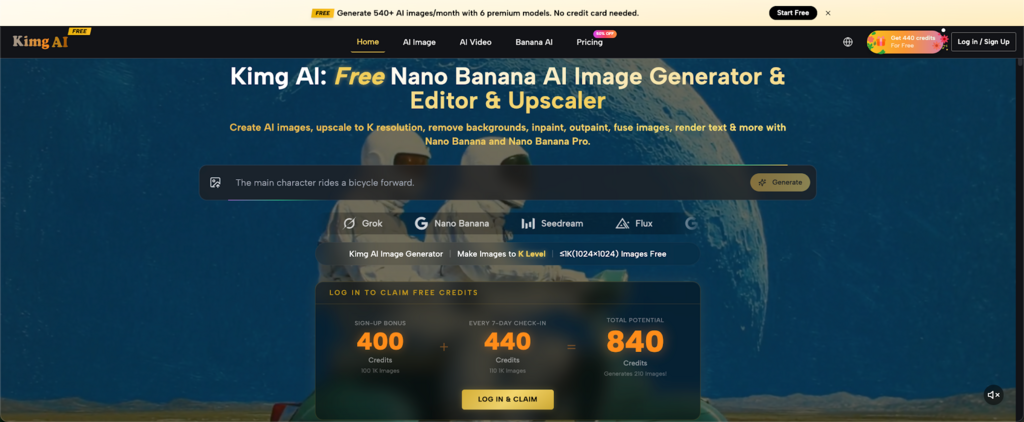
Planning a week of social posts usually means juggling ideas, visuals, revisions, and format changes at the same time. The challenge is not only making each post look good, but also keeping the whole week consistent without wasting hours on repeated work. Kimg AI offers a more practical way to handle that process from the first draft to the final asset.
I. Build the Week Around One Clear Direction
1. Start with one content angle
A strong weekly plan usually begins with one message, not seven separate ideas. That single direction can then branch into a product post, a feature card, a tutorial visual, a quote graphic, and a short teaser without feeling disconnected.
2. Prepare references before generation
Visual consistency becomes much easier when a few reference images are ready at the start. On the official workflow, reference-based creation helps guide style, subject details, and overall tone, which is especially useful when several posts need to feel like part of the same campaign.
3. Match the format to the channel
Different channels ask for different framing. A square post, a vertical story, and a wider banner all need a slightly different composition, so planning those formats early saves a lot of avoidable rework later.
II. Create the Core Visuals First
1. Use either text prompts or source images
Some content starts from a written idea, while other content starts from an uploaded product shot, a sketch, or a previous campaign asset. A workflow that supports both options makes weekly planning much smoother because it does not force every post into the same starting point.
2. Use Nano Banana AI for flexible variations
Nano Banana AI is useful when one idea needs to become several visual versions. It works well for style-driven output, repeatable character presentation, and reference-based image generation, which makes it easier to build a fuller content calendar from a single creative direction.
3. Use Nano Banana Pro for the hero asset
The strongest image of the week usually needs the cleanest finish. For cover visuals, pinned posts, or the lead image of a carousel, Nano Banana Pro is a better fit when more detail and stronger fidelity matter, and the official information supports output quality up to 4K.
III. Edit What Already Works Instead of Starting Over
1. Remove backgrounds when speed matters
Not every social image needs a full rebuild. Background removal is often enough to turn a good product image or portrait into a cleaner post asset for announcements, feature highlights, or simple promotional graphics.
2. Fix small weak points with inpainting
A useful image can fail because of one awkward object, one weak hand, one off-brand detail, or one cluttered area. Inpainting helps correct those smaller issues without losing the overall look that made the image worth keeping in the first place.
3. Expand compositions with outpainting
One image rarely fits every placement. Outpainting helps extend the frame for a different crop, which is especially helpful when a square image later needs to become a story visual, a wider header, or a more balanced promotional layout.
IV. Keep the Visual Identity Steady All Week
1. Reference support helps protect consistency
A scattered feed often comes from scattered inputs. When the same references are carried across several generations, the overall color mood, styling choices, props, and subject treatment stay more stable from one post to the next.
2. Character consistency matters more than people expect
For brands using a recurring person, mascot, or signature visual figure, character drift can quickly weaken recognition. Nano Banana AI is useful here because consistency across a set of posts helps the audience feel that each asset belongs to the same story rather than a random batch of experiments.
3. Style transfer adds range without breaking the look
A weekly calendar needs variation, but it also needs a recognizable thread. Style transfer makes it possible to reinterpret a photo or concept into a different look, including more illustrative directions, while still holding onto the key elements that make the content feel branded.
V. Make Text and Visuals Work Together
1. Some posts need text inside the image
Social content often works better when the visual carries part of the message. Launch names, feature callouts, short headlines, and simple labels can all sit inside the image, which reduces clutter in the caption and makes the post easier to understand at a glance.
2. Text rendering reduces cleanup later
When text is handled well during image creation or editing, there is less need for outside correction. That matters for teams trying to move quickly, because a graphic with cleaner built-in text can move closer to publish-ready status without another round of manual layout work.
3. Editing text helps older assets stay useful
A good visual should not expire after one use. If text in an image can be added, replaced, or adjusted, an older graphic can return as a refreshed post for another week, another angle, or another channel without losing the original composition.
VI. Turn Strong Stills into Short Video Content
1. One still image can lead to a motion asset
A weekly schedule usually performs better when it includes a mix of static and moving content. Image-to-video support makes that easier because a polished still can become a short clip instead of needing a separate production process from zero.
2. Motion helps stretch one idea further
One strong campaign visual can serve several roles. It can appear first as a feed post, then as a moving teaser, then as a supporting story asset, which gives the same concept more reach without making the week feel repetitive.
3. Audio-ready video adds another layer
The official workflow also includes video generation with synchronized audio. That is useful for short content where movement alone is not enough, especially when a clip needs sound effects, ambient sound, or spoken elements to feel more complete.
VII. Store, Reuse, and Keep the Workflow Clean
1. Save the full creation trail
A strong result becomes far more valuable when the prompt, settings, model choice, aspect ratio, reference images, and timestamp are saved together. That kind of asset history makes it much easier to revisit a winning format later instead of trying to rebuild it from memory.
2. Reuse strong outputs instead of guessing again
Weekly social work becomes much lighter when good assets do not disappear into folders with no context. A saved library helps turn one successful image into a series, because the original structure is still there to review, adjust, and extend.
3. Keep access simple across devices
Content approval and publishing rarely happen in only one place. When assets remain easy to access across desktop, tablet, and mobile, the workflow stays smoother during review, last-minute edits, and scheduling checks.
VIII. Conclusion
For anyone responsible for a full week of social posts, the real challenge is rarely a lack of ideas. It is keeping every asset clear, consistent, and ready on time. When the workflow is built well, AI does not replace the content process—it makes that process cleaner, steadier, and far easier to sustain week after week.
That is why search terms like Kimg AI, Nano Banana Pro often point back to the same need: a better way to plan, create, edit, and reuse content without turning the week into a scramble. When the tools for image generation, editing, text handling, motion, and asset storage stay connected, the result is not just faster output. It is a weekly social workflow that feels more organized, more repeatable, and much easier to manage.