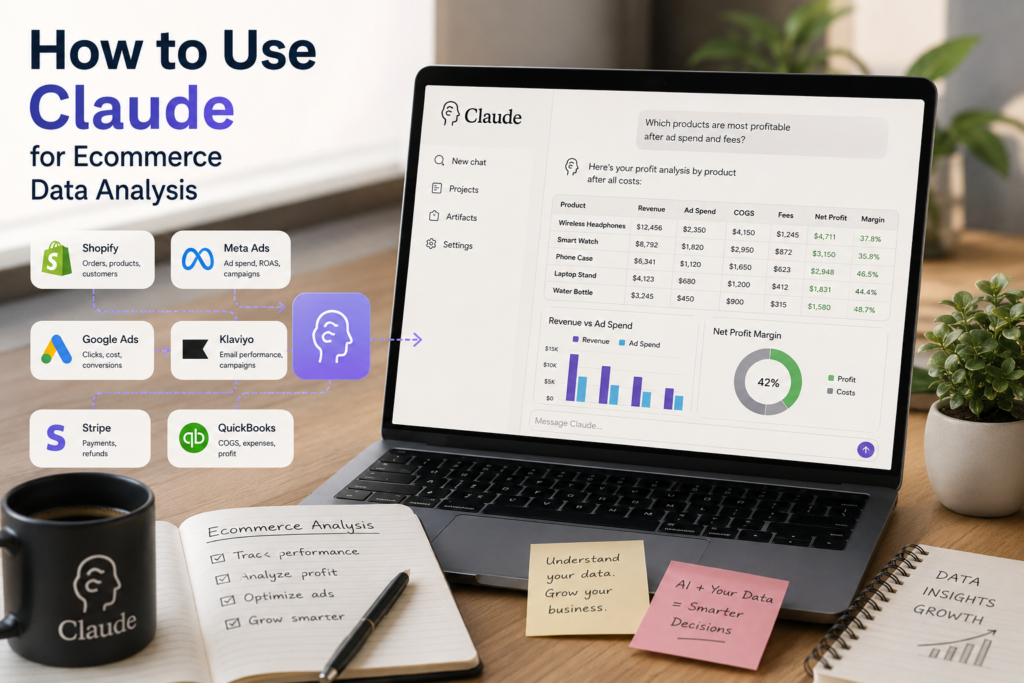
Most ecommerce businesses don’t have a data problem — they have a context problem.
Orders, advertising, inventory, customer support, and financial data all live in different systems. Each tool tells part of the story, but answering a real business question usually means exporting several reports and piecing them together manually.
Claude helps connect those separate pieces into a single analysis.
What Claude Is, and Isn’t
Claude isn’t an ecommerce platform, a BI dashboard, or an accounting system. Instead, it acts as an analytical layer on top of the tools you already use.
Your ecommerce platform records transactions. Your dashboard tracks known metrics. Your accounting software keeps your financial records accurate. Claude helps answer the questions those systems weren’t designed to answer on their own — especially when the answer requires combining information from multiple sources.
Instead of asking “What was my ROAS last month?”, you can ask “Why did ROAS fall even though revenue increased?”
That shift — from reporting a metric to explaining the factors behind it — is where Claude delivers the most value.
Getting Data Into Claude
Before Claude can analyze anything, it needs access to your data. There are a few ways to provide it.
| Approach | Best for |
| Manual CSV upload | One-off analysis |
| Native platform exports | Single-source questions |
| Data connector platforms | Recurring, cross-channel reporting |
Manual uploads work for a quick question. They go stale fast, since each file is a snapshot of the moment you exported it.
Native exports keep you closer to real time, but each platform still exports independently. Claude sees separate files, not one connected dataset.
Data connectors solve both problems by automatically keeping your business data synchronized and ready for analysis. A platform like Coupler.io can, for example, connect Amazon Ads to Claude. It works the same way across ecommerce, advertising, and financial sources, creating one continuously updated dataset instead of manual CSV exports. It can also clean and combine data before Claude analyzes it, reducing the manual work needed to prepare exports. You set it up once, and Claude keeps working from the current numbers instead of last week’s export.
Before connecting any tool, check what access it actually needs. Most connectors are read-only for reporting. A smaller number, mainly CRM and project tools, support write access for things like updating a deal stage.
Limit access to the accounts and data ranges Claude actually needs, especially anything touching customer PII or payment data.
A Repeatable Analysis Workflow
With the data flowing in, useful output from Claude comes from a consistent process, not clever prompting.
Consolidate your sources. To judge true marketing efficiency, combine ad spend across platforms with Shopify order data and refund logs, rather than reading any single report on its own.
Standardize formats before you upload. Dates, currencies, SKUs, and time zones need to match across files. Inconsistent formatting causes join errors and misleading conclusions, regardless of which AI model does the analysis.
Ask one specific question at a time. “Analyze my store” returns generic observations. A prompt naming a timeframe, exact metrics, and a boundary condition to flag returns something you can act on.
Verify before you act. Claude reasons well over structured data but can make small arithmetic errors on large datasets. Treat its output as an analytical brief and confirm exact figures on your source platform before making any pricing, budgeting, or accounting decisions.
Core Analytics Use Cases
Revenue and margin. Feed Claude product-level cost of goods, discount codes, and order data, and it can pinpoint which categories are dragging down net profit, where discounts are eating margin, and where refund rates have moved outside the normal range even as top-line revenue grows.
Marketing performance. Advertising platforms optimize independently. Claude can compare Google Ads, Meta Ads, and Amazon Ads, highlighting which channels drive repeat customers rather than simply delivering the lowest acquisition cost.
Retention and customer cohorts. Blend order history, email engagement, and support tickets to surface high-value customers who’ve gone quiet, first-time buyers who look like strong lifetime-value candidates, and segments responsible for an outsized share of returns.
Inventory signals. With sales velocity and stock data, Claude can flag SKUs that are pacing to sell out before your next restock, as well as dead stock tying up cash. Treat these as flags to investigate, not final reorder numbers, since exact quantities still belong in your inventory system.
Feedback synthesis. A store getting hundreds of reviews a month doesn’t have time to read them all. Claude can summarize recurring complaints by product or region and tie quality issues back to specific SKUs or batches instead of leaving you with a pile of unread text.
Writing Prompts That Get Useful Answers
The difference between a prompt that returns generic observations and one that returns a decision-ready answer comes down to three things: the data you give it, the exact metrics you use to calculate, and the boundary condition that should be flagged.
Weak: “How are my ads doing this month?”
Stronger: “Review Q2 data from Google Ads, Meta Ads, and Amazon Ads. Calculate blended CAC, ROAS, and refund-adjusted net revenue by platform. Flag any campaign where spend scaled more than 20% versus last quarter while net revenue stayed flat or declined.”
The second version gives Claude a timeframe, the metrics to use, and a specific condition to look for.
Common Mistakes
Most disappointing results come from the data, not the model. Claude can only reason from what you provide, so inconsistent inputs lead to misleading conclusions.
Common issues include mixing gross and net revenue, comparing reports that use different attribution windows, uploading files with inconsistent SKUs or product names, and combining data with mismatched currencies or time zones. Missing refunds, canceled orders, or duplicate transactions can also distort the analysis.
Another common mistake is asking Claude to solve several unrelated problems in a single prompt. You’ll get more useful answers by focusing on one business question at a time, using a defined timeframe and the specific metrics you want to evaluate.
The more consistent and complete your data is, the more reliable Claude’s analysis will be.
Where Claude Falls Short
Claude can make small calculation errors on very large datasets, so verify totals that matter before acting on them.
It has no access to your systems unless you upload or connect the data, and each new conversation starts without memory of the last one unless you resupply context.
Missing transactions or incomplete exports will produce incomplete conclusions, regardless of how good the model is. It’s not a substitute for accounting or financial reconciliation software.
Final Thoughts
Claude works best once you treat it like an analyst who needs the right materials, not a chatbot.
It won’t replace your ecommerce platform, dashboard, or accounting software, but it’s good at connecting information that normally lives in separate systems and explaining what’s behind the numbers.
The businesses that get the most out of it aren’t the ones writing the most elaborate prompts. They’re the ones with organized, up-to-date data and a clear question, which gets you, in minutes, what would otherwise take a custom report or an afternoon of spreadsheet work.
Frequently Asked Questions
Can Claude analyze Shopify exports? Yes, on its own or alongside other platforms in the same conversation.
Does Claude replace a BI dashboard? No. Dashboards track known metrics continuously; Claude is better at investigating a specific question that spans several datasets.
Do I need SQL or Excel skills? No. The bottleneck is usually the state of your data, not technical skill.