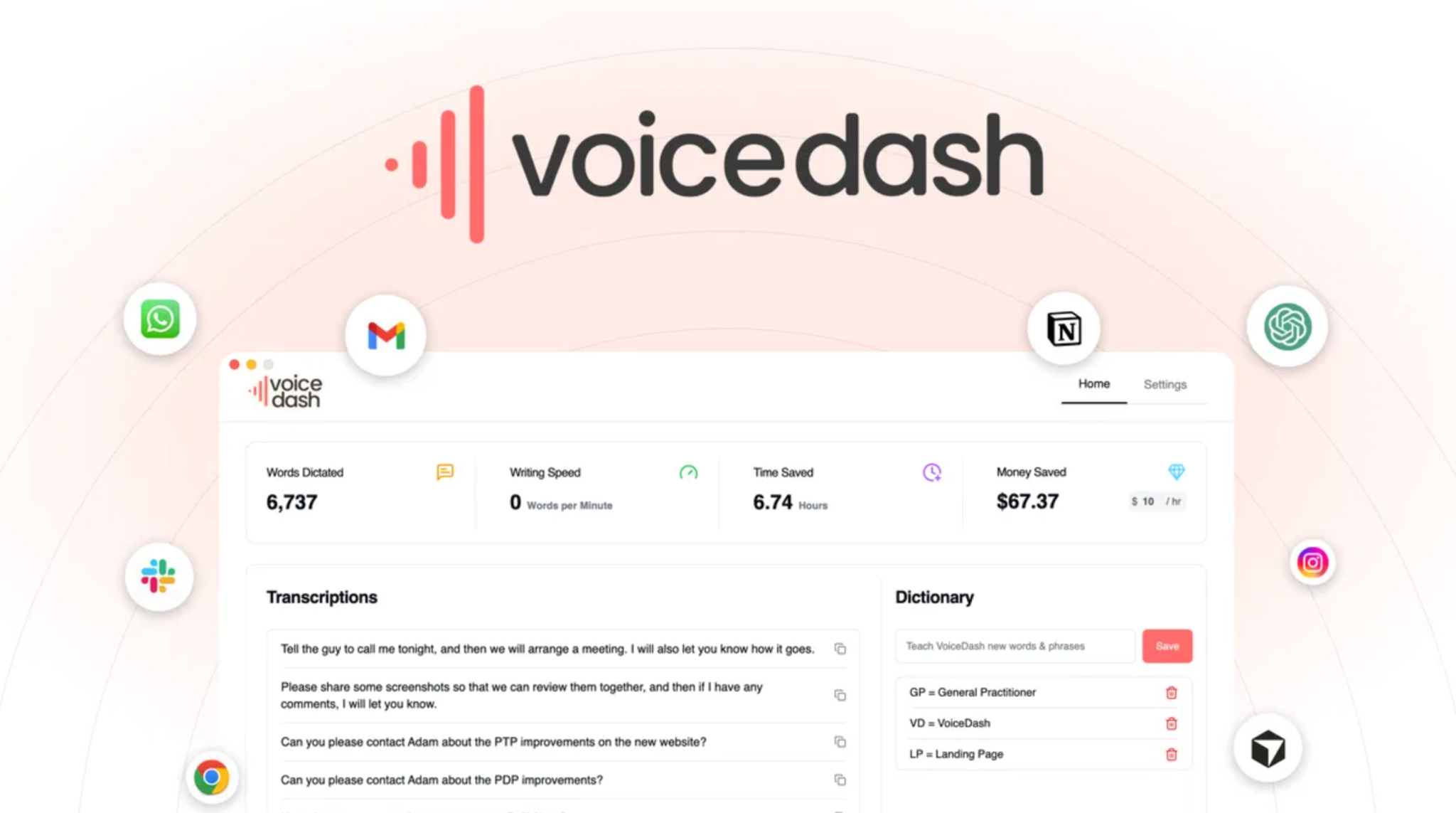
Voicedash helps you write by speaking instead of typing slowly. It turns your natural speech into clean, structured text inside almost any app you already use. You press a shortcut, start talking, and watch polished sentences appear in real time. The tool removes many filler words, fixes grammar, and adds punctuation while you speak. This saves time, reduces typing pain, and keeps your ideas flowing. Great for creators, marketers, students, and busy pros who think faster than they type.
Voicedash Pros and Cons:
Pros:
- Fast voice-first typing with clean output in many apps.
- Real-time grammar and filler cleanup reduces manual edits.
- Strong lifetime value compared to ongoing subscription fees.
- Helpful snippets and word bank for repeated phrases and jargon.
- Privacy-aware approach supports trust for sensitive projects.
Cons:
- Monthly word caps on lifetime tiers can limit very heavy dictation.
Monthly pricing:
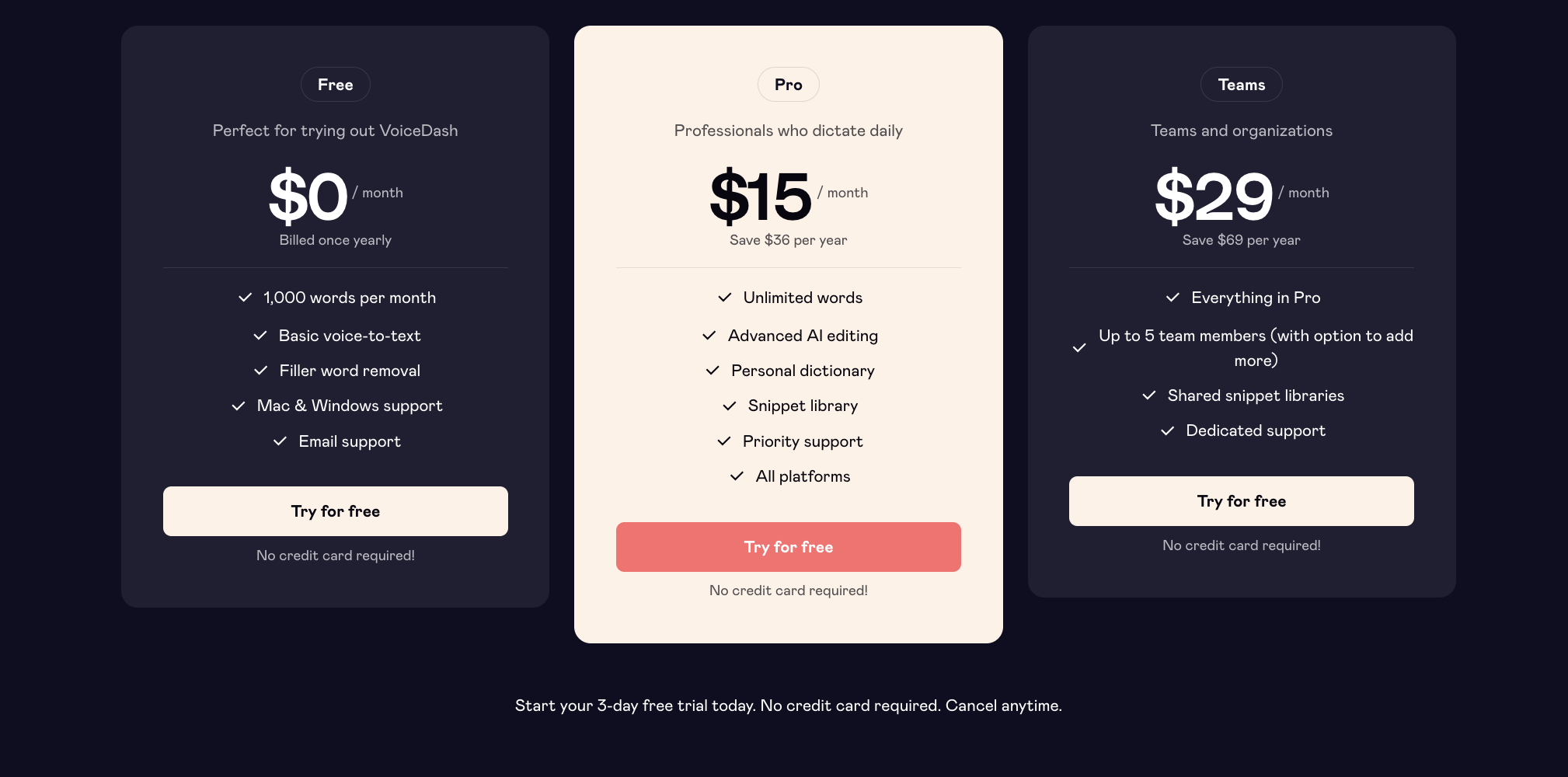
As far as I know, the official pricing page shows a clear ladder. A free plan offers 1,000 words each month for testing. The Pro plan costs 15 dollars a month, or 12 yearly, with unlimited words. This tier includes advanced AI features beyond basic voice-to-text. That structure suits both light users and power users. The way I see it, monthly plans work best before you commit to a lifetime deal.
Voicedash: 10 Key Features:
01: Voice-first writing tool
Let’s put it this way, some days your fingers feel slow. voicedash aims at that problem with a pure voice-first writing flow. You open the mic, speak like in a normal conversation, and watch text appear. The thing is, the tool does more than basic speech-to-text on your phone. It listens for meaning, not only words, and shapes full sentences. Now that you mention it, that makes long emails or reports much easier. voicedash drops the final text directly wherever your cursor sits. No copy-paste, no window jumping, just quick output. For what it’s worth, this feels natural after a short learning period. In other words, you talk, it writes, and your ideas stay fresh.
02: Real-time text refinement
As far as I know, few dictation tools clean text this well. voicedash edits while you speak, not after you finish a long rant. It adds punctuation, fixes capitalization, and smooths sentence structure on the fly. I see what you mean if you say normal transcripts look messy and raw. Here, your monologue becomes readable text in real time, ready to send. Correct me if I’m wrong, but this saves a lot of editing time. The tool uses AI language models to understand context and intent. That helps it decide where to break lines and shape paragraphs. For busy marketers or founders, that means shorter polish cycles. Long story short, you finish speaking with a near final copy already done.
03: Automatic spelling fixes
Last week I tested tools that miss names or technical words often. The funny thing is, voicedash feels more accurate with spelling and typos. It auto-corrects many slips and common mistakes as you speak. This matters for emails to clients, scripts, or internal memos. You avoid ugly spelling slips that hurt trust or look careless. With the help of its AI engine, the app predicts the right word. It checks context so “their” and “there” land correctly more often. I see your point, but no tool hits one hundred percent accuracy. Still, voicedash reduces manual proofreading and backspacing. At the end of the day, less fixing means more thinking time.
04: Removes “um” and “like”
To be fair, most people speak with lots of filler words. I was wondering how many “um” and “like” you use each day. voicedash strips those fillers out before they hit your screen. It also cuts “uh,” “you know,” and other speech habits. Come to think of it, that makes you sound calmer and more clear. The text feels like a planned draft, not a raw transcript. That reminds me of editing a podcast, but here it happens live. Students, coaches, or sales reps gain cleaner notes and scripts. I couldn’t agree more that clean text helps close deals and build trust. All things considered, this small feature adds big polish to your writing.
05: App-agnostic dictation support
Here’s the thing, context switching kills focus. voicedash works inside almost any app with a text field. Gmail, Notion, Slack, Google Docs, code editors, CRMs, you name it. You hit the shortcut, talk, and the text lands where your cursor waits. No separate window, no export, no import. As a matter of fact, this feels like having dictation built into everything. Dealmango notes that it acts like a system-wide AI voice app. That means one tool for scripts, comments, support replies, and blog outlines. For agency owners, this keeps your team inside their normal stack. All things considered, app-agnostic support makes adoption much smoother.
06: Instant mic-to-text launch
Guess what, speed matters more than many people admit. voicedash uses keyboard shortcuts and a small launcher for quick mic access. Tap the set keys, start talking, and text flows in seconds. No long menus, no deep settings every time. This helps capture ideas before they fade from your mind. The tool stays ready in the background, without getting in your way. You can start and stop dictation as you move across apps. That keeps your writing pace closer to your thinking pace. Speaking of which, this feels great for brainstorms or meeting notes. For busy founders, that small speed gain adds up each day.
07: Prebuilt response snippets
Now that you mention it, many people type the same lines daily. voicedash includes prebuilt response snippets and a snippet library. You can store common replies, intros, signatures, or support messages. Then you speak a trigger phrase to drop the full text. Let me think, that helps with outreach, proposals, and support tickets. The snippets work across apps, from Gmail to helpdesk tools. This keeps your tone consistent and saves repetitive typing time. As far as I know, many AppSumo users love this style of feature. For what it’s worth, this also helps teams keep replies aligned. I see your point, but setup takes time; the payoff comes later.
08: Customizable word bank
Just between you and me, names often break most dictation tools. voicedash lets you build a personal word bank or dictionary. You store product names, brand terms, and tricky client surnames. Over time, the app learns those words and types them correctly. This helps marketers, agencies, and SaaS teams with niche vocabulary. The tool reduces annoying edits for branded phrases or local terms. Dealmango highlights this as a core benefit for professionals. I don’t mean to pry, but have you lost time fixing product names? With a tuned word bank, that pain fades a lot. All things considered, this feature matters for any niche-heavy writer.
09: International language support
As far as I know, voicedash supports dozens of languages. Reports mention support for over 50 languages in some content. That means global teams can dictate in their main language. I see your point, but accuracy will vary by language and accent. For many non-native English speakers, this feels like a strong plus. You can draft in your own tongue, then refine or translate later. This helps students abroad, offshore teams, and remote freelancers greatly. The tool also supports different platforms, which helps mixed device teams. At the present time, clear language support details live on their site content. All things considered, this widens who gets real value from the app.
10: Privacy-aware voice typing
No offense, but many people worry about voice data today. voicedash pushes privacy as a key part of its promise. Dealmango notes that it uses local or privacy-first processing. The app does not store or reuse your voice recordings for training. That reduces risk for lawyers, doctors, or agencies with client data. With the help of this stance, you keep more control over content. I see your point, but always check their current policy page too. As a matter of fact, privacy is a strong edge over some rivals. All things considered, privacy-aware design builds trust in long-term use.
Let me share with you my honest view after reading many reports. voicedash looks like a strong pick for creators, marketers, and busy pros who think faster than they type. The lifetime deal brings long-term savings, and the feature mix feels mature for daily work. I see your point, but heavy power users must watch word limits on lower tiers. All things considered, this deal suits solo creators, small teams, and agencies who want voice-first writing as a core daily habit.