We’ve all been there: you capture what should have been a perfect moment, only to discover later that your phone photo is disappointingly blurry, too dark, or just plain dull. Perhaps you’ve accumulated thousands of photos over the years, many of which never quite lived up to what you saw when you pressed the shutter button. The frustrating reality of smartphone photography is that while our cameras keep getting better, they still can’t match the human eye’s ability to see detail in shadows, handle tricky lighting, or capture crystal-clear images in every situation. Fortunately, artificial intelligence has emerged as a game-changing solution that can rescue your imperfect photos and elevate them to professional standards.
Even the latest flagship smartphones have physical limitations. Tiny sensors and lenses simply can’t capture the same dynamic range and light-gathering capability as professional cameras. When you photograph a sunset, your phone might render the sky beautifully but lose all detail in the foreground, or vice versa. Indoor events and nighttime shots often come out grainy because the sensor struggles with limited light. Fast-moving subjects create motion blur that no amount of computational photography can completely eliminate in real-time.
Beyond hardware constraints, there’s the compression problem. Every time you share a photo through messaging apps or upload to social media, the image gets compressed to save bandwidth and storage space. These compressions remove data from your image, introducing artifacts and reducing overall quality. After a photo has been shared multiple times across different platforms, it can look significantly worse than the original—even if that original wasn’t perfect to begin with.
Then there’s the archive of older photos. Pictures taken on phones from five or ten years ago used cameras with much lower resolution and inferior image processing. These cherished memories look increasingly inadequate when viewed on modern high-resolution screens. The good news? AI can address all these issues simultaneously, breathing new life into photos you might have considered unsalvageable.
How AI Understands and Improves Your Photos
Modern AI photo enhancement works fundamentally differently from traditional editing tools. Instead of simply applying filters or adjusting sliders, AI systems have been trained on millions of high-quality professional photographs. They’ve learned to recognize patterns—what sharp images look like versus blurry ones, how proper exposure appears, what natural color balance should be. When you upload a photo, the AI analyzes it against this vast knowledge base, identifying specific problems and determining the optimal corrections.
This intelligence extends to understanding context. The AI recognizes faces and treats them differently from backgrounds, ensuring skin tones remain natural while other elements are enhanced. It distinguishes between intentional artistic effects and unwanted defects. A photo with creative motion blur in the background but a sharp subject should only have certain areas corrected, and sophisticated AI knows the difference.
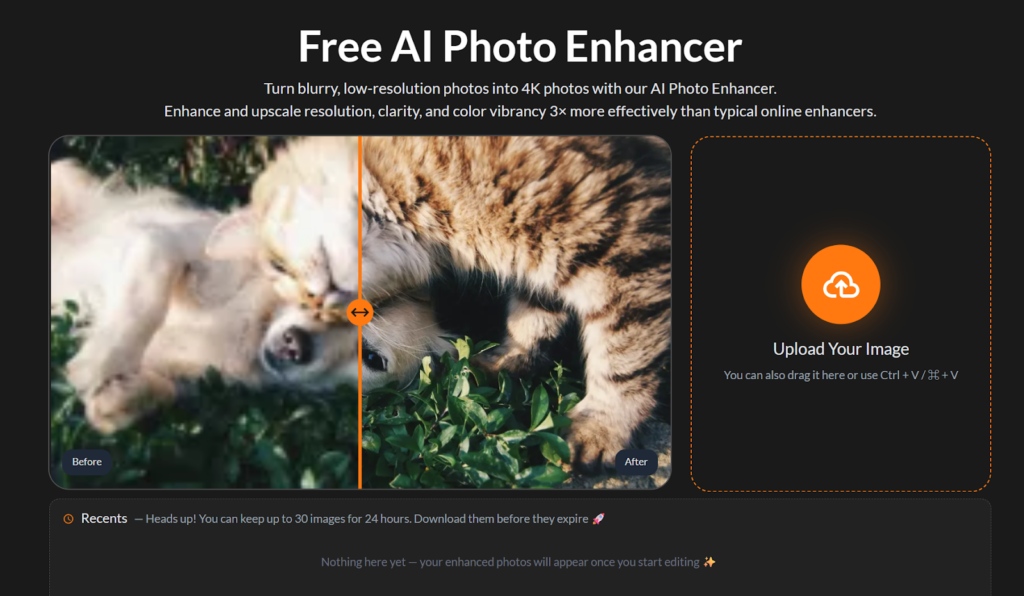
Using a Free AI Photo Enhancer means accessing this powerful technology without any cost or complexity. These platforms have made professional-grade enhancement available to everyone, requiring no technical knowledge or editing experience. You simply upload your image, select your preferred enhancement style, and within seconds receive a dramatically improved version.
Practical Steps to Professional Results
Getting started with AI photo enhancement is refreshingly simple, but understanding the process helps you achieve better results. First, identify which photos need enhancement most urgently. Don’t waste time on images that are already excellent—focus on photos with clear issues like blur, noise, poor lighting, or faded colors. Create a small batch of your most important imperfect photos to work with initially.
When you’re ready to enhance, choose the right tool settings for your specific image type. For photos that are just slightly soft or muted, a standard enhancement mode provides gentle improvements that look completely natural. These subtle corrections often work best for photos that are fundamentally decent but need that extra polish to really shine.
Photos with serious quality issues require stronger intervention. Very blurry images, extremely dark shots, or pictures with significant noise need aggressive processing to become usable. This is where specialized Unblur Image functionality becomes crucial—it can recover detail you might assume was permanently lost. The AI fills in missing information by understanding what similar images should look like when properly captured.
Specialized Enhancement for Different Scenarios
Rescuing Old Memories: Family photos from decades past deserve special attention. These images often suffer from physical damage if they were printed and later digitally scanned—scratches, folds, and discoloration abound. Even digital photos from early phone cameras show their age with low resolution and primitive color processing. AI restoration modes can remove damage, enhance resolution, and restore colors that have faded over time. The results can be emotionally powerful, bringing beloved memories back to life with clarity you haven’t seen in years.
Event Photography: Weddings, parties, concerts, and celebrations present challenging lighting conditions. Venues are often too dark, forcing your phone to boost ISO and creating grainy images. Or lighting is harsh and uneven, creating strong shadows and blown-out highlights. AI enhancement excels at balancing these exposures, pulling detail from shadows while controlling highlights, and dramatically reducing noise. Photos that seemed mediocre become frame-worthy after AI processing.
Product and Food Photography: If you sell items online or share your culinary creations on social media, photo quality directly impacts your success. Enhanced product photos look more professional and appealing, increasing the likelihood of sales. Food photography benefits enormously from AI’s ability to make colors more appetizing and details more appetizing. Texture in food photography particularly improves—you can almost taste the crispness of vegetables or the fluffiness of baked goods after AI enhancement.
Conclusion
AI has eliminated the traditional barriers to professional-looking photos. Technical expertise, expensive software, and time-consuming editing are no longer requirements for great images. With accessible tools and a few minutes of experimentation, anyone can transform their phone photos from disappointing to impressive. The technology continues advancing rapidly, with each improvement making enhancement easier and results more spectacular.
Your phone holds countless moments worth preserving beautifully. Whether it’s today’s photos or treasured images from years past, AI enhancement offers a practical solution that delivers professional results without professional complexity. The tools are ready, they’re free, and they work remarkably well. All that’s needed is for you to give them a try—your photos will thank you for it.
Backlinks Hub highly experienced SEO Team with over 4 years of experience. WE are working as contributors on 1000+ reputable blog sites. If You Need Guest Post and Our Seo Services Contact.