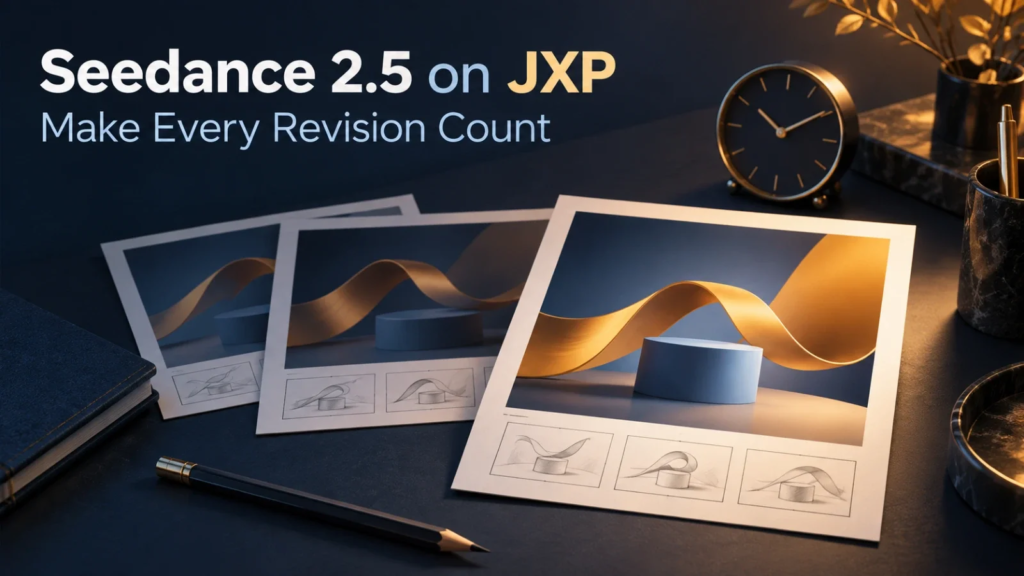
The sixth version is brighter than the fifth. The fifth has a better opening. Someone prefers the colour in version three, although nobody can remember why it was rejected. A short video that was supposed to fill one slot in a campaign has become an afternoon of comparisons.
Generating alternatives is only part of the work. Someone must watch them, explain the differences, collect feedback and decide what to deliver. For a business, that attention has a cost even when the generation itself feels quick.
The useful question is therefore not how many versions a team can make. It is what another version would need to improve. A clear answer keeps creative exploration connected to the assignment; without one, every new possibility becomes a reason to delay finishing.
Define the job before judging the finish
Consider a fictional consultancy preparing a webinar announcement. It needs an abstract moving background: an amber ribbon passing over a blue plinth, with space for a headline that will be added in an editor. The visual should suggest connection without resembling a real client project or making a claim about business results.
Seedance 2.5 on JXP supports text-led and reference-led video generation, making it an option for exploring that sort of original campaign visual. The brief still has to define what makes the clip usable: the ribbon stays coherent, the movement leaves room for the headline, and the ending gives the editor a clean place to cut.
Those conditions are more useful than “make it premium”. They describe the asset’s job. They also help separate a genuine failure from a colleague’s preference for a different shade of blue.
Agree on the intended placement as well. A background beneath event details has different demands from a full-screen opening sequence. Reviewing both as though they were the same commission encourages unnecessary changes.
Not every comment deserves another generation
“The ribbon breaks apart” and “could it feel warmer?” are different kinds of feedback. The first identifies a visible defect. The second may be a useful suggestion, but it needs an explanation of what the change would accomplish.
Sort feedback into three practical categories. A blocker prevents the agreed use, such as distracting distortion beneath the event headline. A useful improvement strengthens the message or makes the asset easier to place. A preference offers another acceptable direction without showing why the current one fails.
Preferences are not worthless. They simply should not carry the same urgency as a broken image or unreadable layout. A campaign owner can choose a warmer treatment, but that is a creative decision to make explicitly, not a defect the operator must keep chasing.
For each requested change, ask the reviewer to complete one sentence: “This matters because the viewer needs to…” If the answer concerns recognising the event title or understanding the visual idea, there is a clear reason to act. If the answer is only that another version might look nicer, decide whether exploration is still part of the assignment.
Count the whole revision, not just the render
A generation attempt occupies more than the time between pressing a button and receiving a clip. It may require rewriting the direction, preparing another reference, inspecting the result, rebuilding the edit and asking someone to review it again.
As an illustrative calculation, suppose a revision takes five minutes to prepare, eight to inspect and compare, and seven to place into the working edit. That is twenty minutes of active work before any additional discussion or waiting. These are hypothetical figures, not a benchmark for the tool. Their purpose is to make the surrounding work visible.
Record the few numbers that matter for your own project: active work time, generation charges actually incurred and whether the revision removed the named problem. A long queue does not equal continuous labour, and a low credit charge does not make a change free of staff time.
Do not turn this into a target for producing more attempts per hour. A useful measure is how much work it takes to obtain an asset that meets the brief. Ten attractive alternatives with no agreed choice may be less useful than one suitable clip already in the campaign.
Choose the smallest change that solves the problem
The next step does not have to be another full generation. If the ribbon works but the opening hangs for too long, trimming may be enough. If the event title needs more contrast, changing its overlay treatment in a separate editor may preserve a good background.
Seedance video creation tools belong at the generation stage when the scene itself needs a different visual direction. A standard editing application remains useful for arranging the selected clip, adding exact event information and finishing the delivery. Choose the operation that addresses the issue; do not assume every adjustment belongs inside the generator.
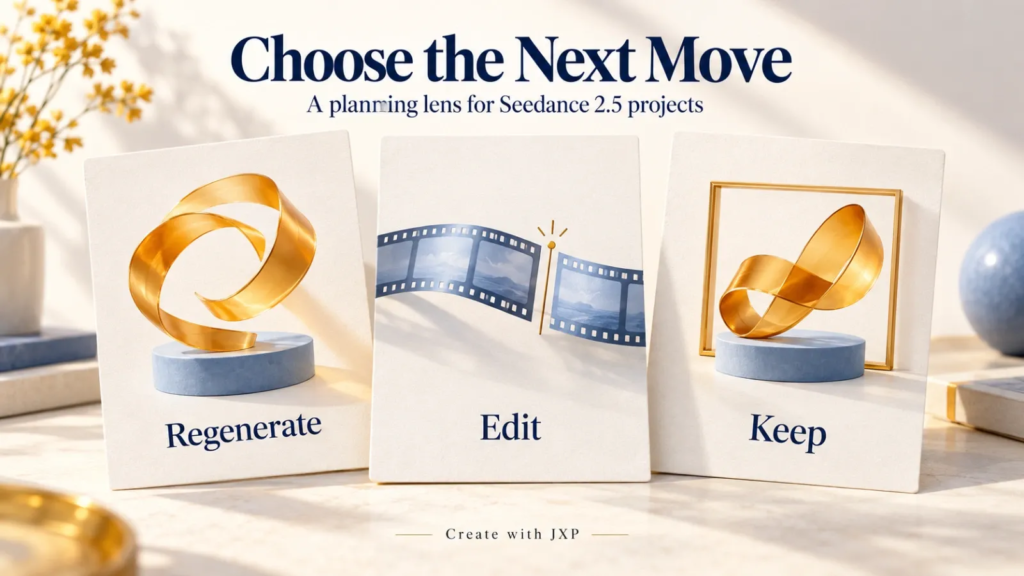
There are three possible decisions:
- Regenerate: the central movement or visual idea does not meet the brief.
- Edit: the usable material is present, but timing, layout or assembly needs work.
- Keep: the clip meets the requirements and the proposed change has no clear benefit for this placement.
Sometimes the brief itself needs simplifying. An elaborate ribbon knot may repeatedly become confusing in motion, while a single curve communicates the intended connection. Agreeing to that simpler idea is different from accepting a faulty result.
Close the decision, not just the browser tab
Name the person who can accept the visual and give that person a short comparison with the last agreed version. Present the change that was requested, whether it worked and anything it made worse. Sending a folder of unlabeled alternatives merely transfers the decision problem to somebody else.
Keep the selected file separate from experiments, along with the brief and any necessary usage information. Use only reference material eligible for the service and cleared for the intended processing and publication. An attractive result does not resolve missing permissions.
A stopping rule is straightforward: once the agreed requirements are met, further changes need a specific reason tied to the asset’s use. A new message or placement can justify reopening the work. The existence of another possible version does not.
For the webinar announcement, success is a coherent background supporting a clear invitation. The ribbon does not need to become the most remarkable ribbon anyone has ever generated. It needs to leave the audience knowing what the event is and why they might attend.